Viktor vs ChatGPT:The AI That Does the Work

ChatGPT answers your questions. Viktor connects to your tools, runs your reports, and delivers real outputs. One is a chatbot. The other is a coworker.

Last updated: March 2026

Viktor

Viktor is an autonomous AI coworker that lives in your Slack, connects to 3,000+ business tools, and does real work: pulling data from Stripe, managing Google Ads campaigns, delivering board-ready PDFs, and building web applications.

Choose Viktor when you need an AI that actually touches your tools and delivers outputs your team can use.

3,000+ integrationsSOC 2 compliantUsed by teams at +2000 companies.
ChatGPT

ChatGPT is a general-purpose AI chatbot for ad-hoc questions, writing, and brainstorming.

Choose ChatGPT for individual conversations.

Get Started For Free
Feature
Viktor
Chat GPT
What it is

AI coworker that lives in your Slack workspace. Connects to your tools and does real work autonomously.

AI chatbot accessed through a separate web app or mobile app. Generates text responses to prompts.

Where it lives

Inside your Slack (or Microsoft Teams). You @mention Viktor like a colleague.

Separate app at chat.openai.com. You leave your workspace to use it.

Integrations

3,000+ managed integrations with real read/write access. Connects to Stripe, HubSpot, Meta Ads, Google Ads, GitHub, Notion, Linear, and more via one-click OAuth.

Limited. Some GPT-4 plugins and web browsing. No managed OAuth connections to your business tools.

Deliverables

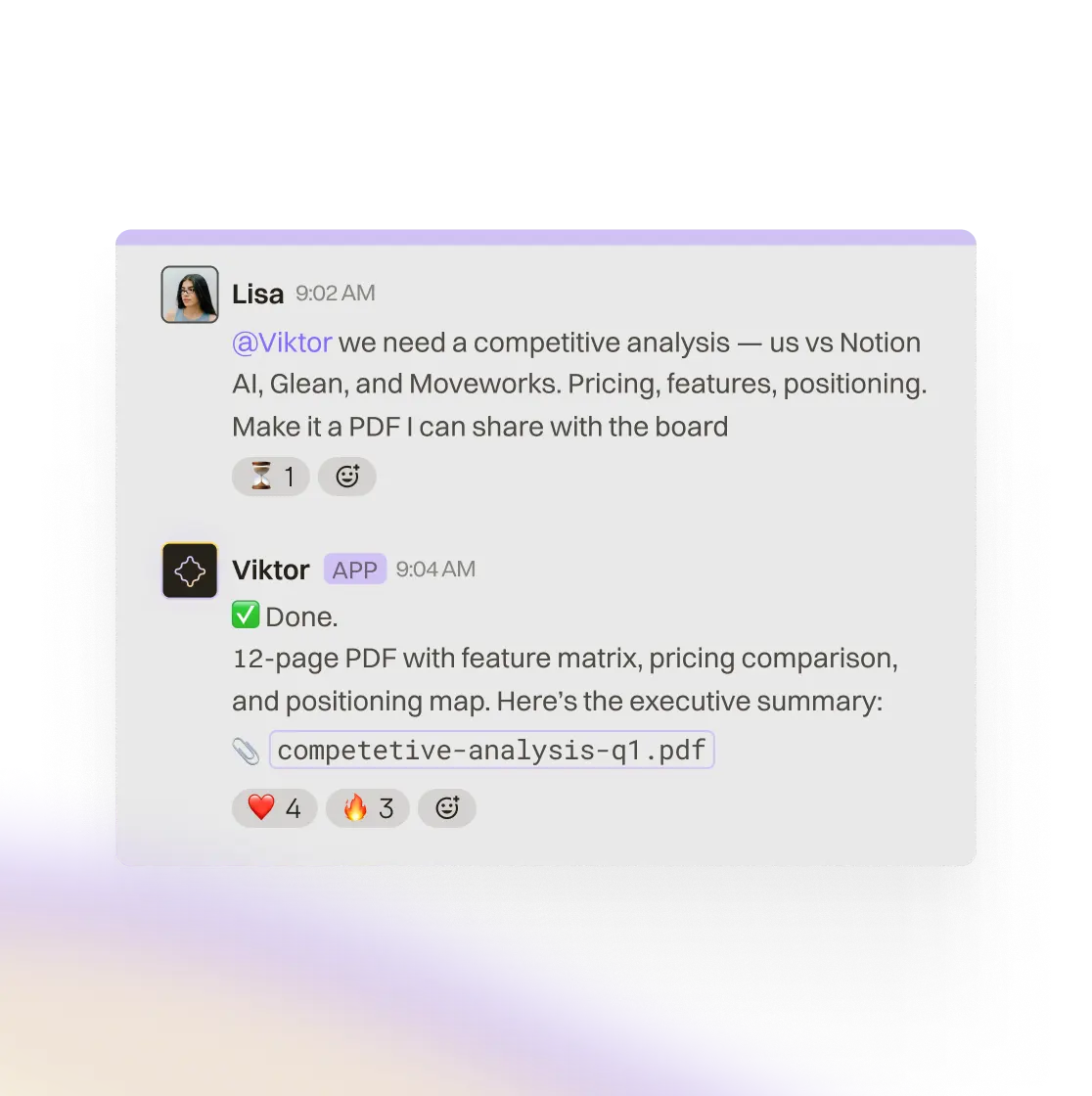
Board-ready PDFs, Excel spreadsheets, PowerPoint decks, full-stack web applications (Viktor Spaces), code commits, and more.

Text responses. Can generate code snippets and basic files, but no polished professional documents or deployed applications.

Proactivity

Free starter ($100 credits) · Team $50/mo per workspace — not per seat

Free tier (limited) · Plus $20/mo · Pro $200/mo — per user

Memory

Persistent company memory. Viktor learns your tools, preferences, team structure, and processes. Gets smarter about your business every week.

Limited conversation memory. Can reference recent chats, but no persistent company knowledge across sessions.

Scheduled tasks

Built-in cron system. Daily reports, weekly audits, monthly reconciliations run autonomously without prompting.

Not available. You must manually start each conversation.

Team features

Multi-user. Everyone in your Slack workspace can @mention Viktor. Shared context, shared automations, shared memory.

Primarily single-user. Team plans exist, but each user has separate conversations with no shared context.

Actions

Real actions: creates Linear issues, updates CRM records, sends emails, manages ad campaigns, deploys web apps, submits pull requests.

Generates text about what you could do. You still copy-paste and execute manually.

Security

SOC 2 Type 1 certified. GDPR aligned. CCPA compliant. CASA Tier 3 certified. Credentials stored server-side only.

SOC 2 certified. Enterprise data policies available on Team/Enterprise plans.

Setup

Install from Slack App Directory. Connect integrations via OAuth. Takes under 5 minutes. Free to start.

Sign up at openai.com. No business tool connections to configure.

Viktor does the work. ChatGPT talks about it.

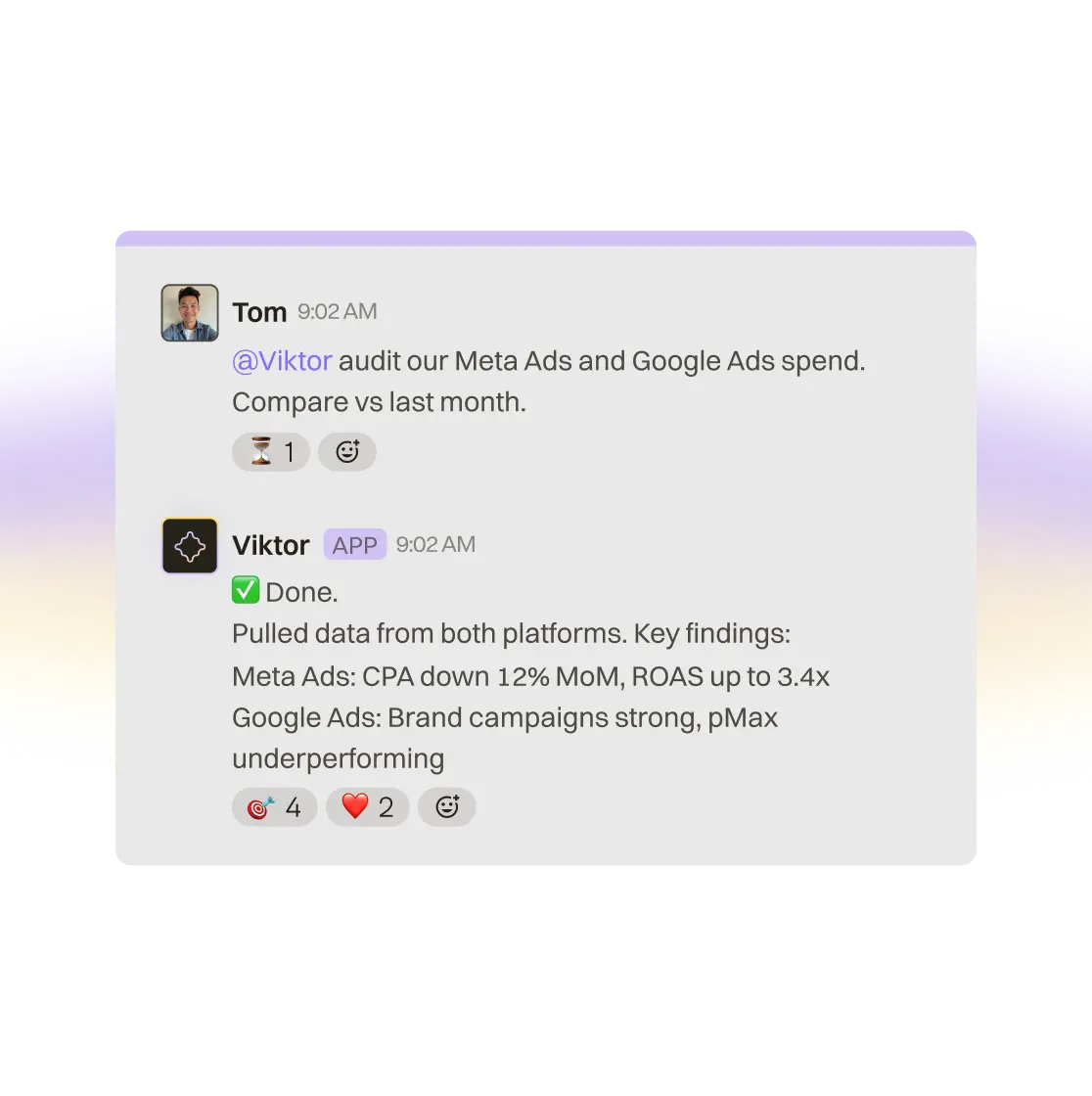
ChatGPT generates text responses. Viktor generates results. When you ask Viktor to audit your ad spend, it pulls live data from Meta Ads and Google Ads, cross-references with Stripe revenue, analyzes trends vs. last month, and delivers a polished PDF report with charts, tables, and an executive summary. That PDF is in your Slack thread in under 5 minutes.

With ChatGPT, you'd describe your data in the chat, get a text analysis back, then manually create the report yourself.

The difference isn't intelligence. Both use frontier AI models. The difference is that Viktor is connected to your tools and authorized to act. ChatGPT can think. Viktor can think and do.

Slack workflow and AI task execution inside Viktor

A teammate in Slack, not a tab in your browser.

Viktor lives where your team already works. You @mention it in a channel or DM it directly, just like messaging a colleague. It sees the conversation context, knows who's asking, and remembers what you discussed last week.

ChatGPT lives in a separate browser tab. Every conversation starts from scratch. You provide the context manually every time, and whatever ChatGPT produces, you still have to bring it back to your team in Slack.

Viktor's integration into Slack means your entire team benefits. When Viktor automates a weekly report, everyone in the channel sees it. When Viktor learns something about your Stripe account, that knowledge is available to everyone who asks. There's no copy-pasting between apps.

Viktor working inside Slack with shared team context

3,000+ integrations vs. copy-paste.

Viktor connects to your business tools with managed OAuth. One click to connect Stripe, HubSpot, Meta Ads, Google Ads, Notion, Linear, GitHub, and thousands more. Viktor can read and write data across all of them in a single request.

"Pull our Stripe revenue this month, compare it to our Meta Ads spend, and create a Linear issue if ROAS dropped below 3x." That's one message. Three tools. Real actions taken.

ChatGPT has limited integrations through plugins and can browse the web, but it can't connect to your Stripe account, update your CRM, or manage your ad campaigns. You describe what you want, ChatGPT suggests what to do, and you go execute it yourself across each tool.

Viktor connecting multiple business tools in one workflow

When to choose ChatGPT vs Viktor

Choose ChatGPT if:

You need a general-purpose AI for brainstorming, writing, and one-off questions

You work primarily solo and don't need team-wide AI capabilities

You don't need your AI connected to business tools like Stripe, HubSpot, or ad platforms

You want a free or low-cost option for personal use

Choose Viktor if:

You need an AI that connects to your business tools and takes real actions

You want your team to share one AI coworker with shared context and memory

You need professional deliverables: PDFs, Excel reports, PowerPoint decks, web applications

You want automated, scheduled tasks running without manual prompting

You want an AI that proactively suggests automations based on your team's work patterns

You need ad campaign management, cross-tool analytics, or codebase contributions

FAQ

Viktor and ChatGPT serve different purposes. ChatGPT is a general-purpose AI chatbot for conversations, writing, and brainstorming. Viktor is an AI coworker built for business operations: it connects to your tools, takes real actions, delivers professional documents, and automates recurring work. Many teams use both. ChatGPT for ad-hoc thinking. Viktor for getting work done.

Viktor is free to start with no credit card required. Paid plans are available as usage grows. ChatGPT also offers a free tier, with paid plans starting at $20/mo for individuals.

Viktor uses Anthropic's Claude (currently Opus-class) as its primary AI model. The model is upgraded server-side every few months as newer, more capable versions become available. Viktor automatically gets smarter without any action from your team.

Viktor can connect to 3,000+ business tools and take real actions: query your Stripe data, manage Google Ads campaigns, create Linear issues, update HubSpot contacts, submit GitHub pull requests, and build full-stack web applications. Viktor also runs scheduled tasks autonomously, maintains persistent memory about your company, and proactively suggests automations. ChatGPT generates text responses but cannot connect to or act on your business tools.

Yes. Viktor is SOC 2 Type 1 certified, GDPR aligned, CCPA compliant, and CASA Tier 3 certified. API credentials are stored server-side only. Viktor never sees your OAuth tokens or API keys. Your data never trains AI models.

Yes. Many teams use ChatGPT for individual brainstorming, writing assistance, and research, while using Viktor for business operations, cross-tool workflows, professional reporting, and team-wide automation. They're complementary, not exclusive.

Under 5 minutes. Install Viktor from the Slack App Directory, connect your integrations via one-click OAuth, and start messaging. Viktor begins learning about your company immediately.

Start free.Pay only when you're ready.

Every feature. Every integration. $100 in credits on the house. No credit card, no sales call, no catch. When you need more, it starts $50/month.

3,000+ integrations
Slack and Teams
Reports, dashboards, apps
Code and PR reviews
SOC 2 compliant